


Contact Us
Bizler öğrencilerin yaratıcılığını keşfetmeleri, teknolojiye adım atmaları ve el becerilerini geliştirmesini sağlamaları için harika atölyeler kuruluyoruz.Uygun fiyatlı atölye teklifleriniz için bizimle iletişime geçin
- bilgi@teknomaker.com.tr
- 0850 888 87 58
- Kazımiye Mah. Narçiçeği Sok. No:23 Çorlu / Tekirdağ
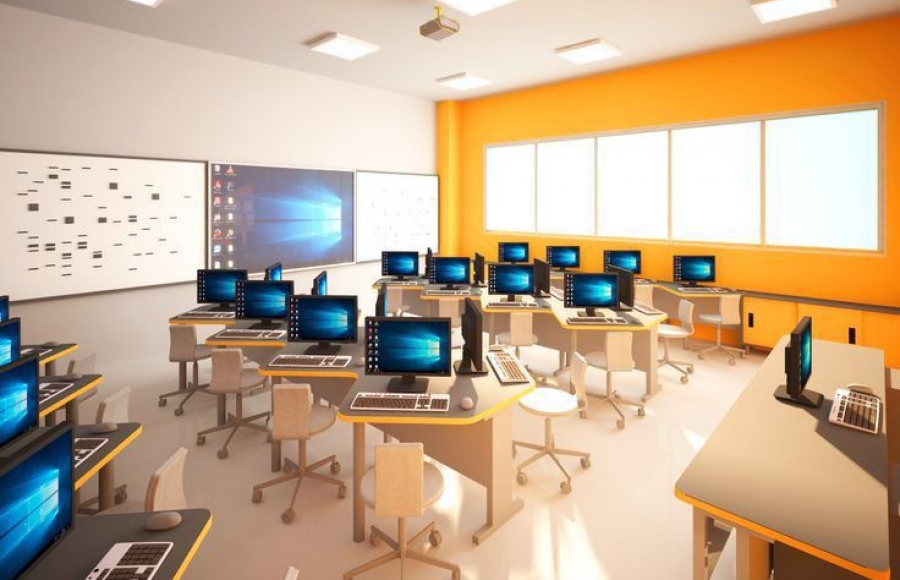
Software and Design Classroom Setup: Gateway to the Digital World
In addition to providing students with digital skills and developing their creative thinking abilities, the software and design classroom provides an important advantage in the modern business world. As Teknomakerlab, we offer comprehensive solutions on “Software and Design Classroom Setup”. In this article, we will cover the key elements to consider when setting up a software and design classroom.
Computer and Hardware Requirements
Powerful and up-to-date computer hardware is the foundation of the software and design classroom. Here are the main hardware requirements to consider:
- Computers: Computers with high processing power and sufficient RAM are essential for design and software development. Powerful graphics cards and ample storage space are especially important for processing-intensive tasks such as graphic design and video editing.
- Monitors: Monitors with high resolution and color accuracy are critical, especially for design work. The use of dual monitors can be useful to optimize workflow and expand the workspace.
- Input Devices: In addition to keyboards and mice, specialized input devices such as graphics tablets and stylus pens provide precision and control in digital design work.
Software and Licenses
- Design Software: Professional software (such as Adobe Creative Suite, Autodesk products) used for graphic design, video editing, 3D modeling and animation is required. The licenses of these software must be appropriate for classroom use.
- Software Development Tools: Tools for writing code, testing and project management (such as IDEs, Git, project management software) are an important part of the classroom. These tools support the software development process and enable students to work at a professional level.
- Education and Learning Platforms: Online learning platforms and e-books allow students to learn at their own pace and gain in-depth knowledge on different topics. These resources can be used to supplement classroom instruction.
Physical Layout and Infrastructure
- Workspaces: Ergonomic tables and chairs provide comfort for long-term study. Large areas where each student can work comfortably facilitate equipment placement.
- Technical Infrastructure: A high-speed internet connection is essential for software updates and access to online resources. In addition, a secure and organized electrical infrastructure ensures the stable operation of computers and other devices.
- Security and Data Protection: Data security is critical, especially for software and design projects. Secure storage solutions, regular backups and antivirus software help protect data.
Extras and Support Equipment
- Project Demonstration Equipment: Projectors, whiteboards and sound systems can be used for presentation and review of projects. This equipment increases classroom interaction and enriches the learning experience.
- Digital Fabrication Tools: Digital fabrication tools such as 3D printers, laser cutters and CNC machines allow students to turn their designs into physical prototypes.